Skip to content
v1.18.0Mdow for Linux is now a full release, not a preview

A quiet place to
read markdown.

Mdow is a fast, focused reader for your notes, docs, and READMEs. Open a file or a whole folder, and ask questions about it with the AI tools you already use.

Free and open source · Also on Linux

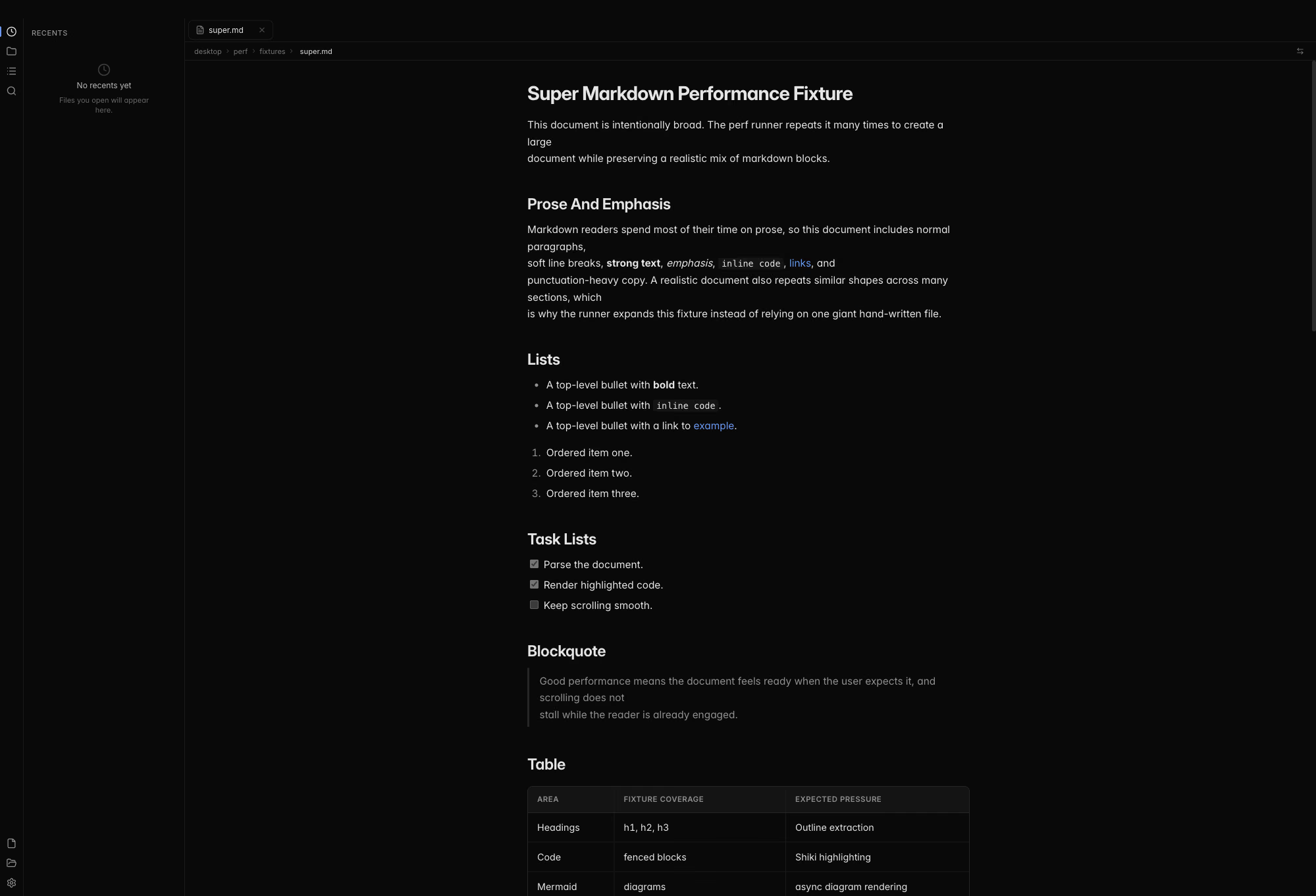
Mdow showing a sync engine architecture document with a folder sidebar, tabs, a Mermaid flowchart, and a highlighted TypeScript code block

Features

Everything a reader needs. Nothing an editor does.

Keep writing in the editor you love. Mdow is where you go to read, navigate, and understand what you wrote.

Ask your documents

Chat about the open file, a whole folder, or anything you @-mention. Answers come from the ACP agent you already run, like OpenCode or Codex, with citations that jump straight to the source.

How the companion works

Fast with huge files

Multi-megabyte documents open in about a second. Highlighting and diagrams render as you scroll to them.

Editor-grade code

Shiki highlighting, the engine behind VS Code, themed for light and dark.

Mermaid, inline

Flowcharts and sequence diagrams render right where you wrote them.

Folders and outlines

Browse a project as a tree and jump between headings in long reads.

Keyboard first

Jump to any file or action from the command palette with ⌘K. Hold ⌘ for a cheat sheet.

All shortcuts

Live as you save

Mdow watches your files. Save in your editor and only the parts that changed re-render, right where you left off.

  • Tabs and side-by-side split view
  • Find in document with highlighted matches
  • Local HTML files in a sandboxed viewer
  • Light and dark themes that follow your system
  • Drag and drop files or whole folders
  • Wide reading mode for fewer distractions

Why a reader

Write in your editor.
Read in Mdow.

Editors are built for changing text. Reading deserves its own calm surface, with real typography, working links, and an outline that keeps its place.

Read-only by design
Mdow never changes your files, and neither does the AI companion. Your editor stays the source of truth.
No setup, no account
Open a file, open a folder, or drag something in. The companion uses providers already configured on your machine.
Plain files, anywhere
Markdown, MDX, and local HTML straight from disk. Nothing to import, nothing to sync.
  • .md
  • .markdown
  • .mdx
  • .html
Mdow's outline sidebar highlighting the current section of a long document, with a table, a blockquote, and links

Changelog

Quietly getting better.

Mdow ships small, careful releases. Every change is written down.

v1.18.0Latest
  • Mdow for Linux is now a full release, not a preview: every version ships an AppImage and a Flatpak beside the Mac app, on the download page and GitHub Releases
  • The download page offers Linux visitors the AppImage directly
  • The chat beside your documents now works with Claude, Codex and Cursor as well as OpenCode. Reads inside the folder run, edits come back as diffs to accept or decline, and anything else is declined
  • The chat streams long answers much faster and stays smooth in long conversations
See all 5 changes in v1.18.0

Open something worth reading.

Free and open source. No account, no setup, just your files.

macOS Linux