 Mdow
MdowFeatures
Local AI companion
Ask questions about the focused document, an open folder, or files and folders selected with @ tags. Mdow sends the context you choose through an installed ACP provider such as OpenCode or Codex ACP, then links citations in the answer back to the source files.
The companion is read-only. It helps you understand local documents without modifying them, and it uses providers already configured on your machine rather than requiring a separate Mdow model account.
Tabbed reading
Open multiple documents at once and switch between them from the tab bar. Close tabs with a click or keyboard shortcut, reorder them with drag and drop, and reopen recent files from the sidebar or app menu.
Side-by-side reading
Use split view to compare two documents in the same window. Each pane can target a different tab, so you can keep source notes beside rendered docs or compare Markdown and HTML output.
Syntax highlighting
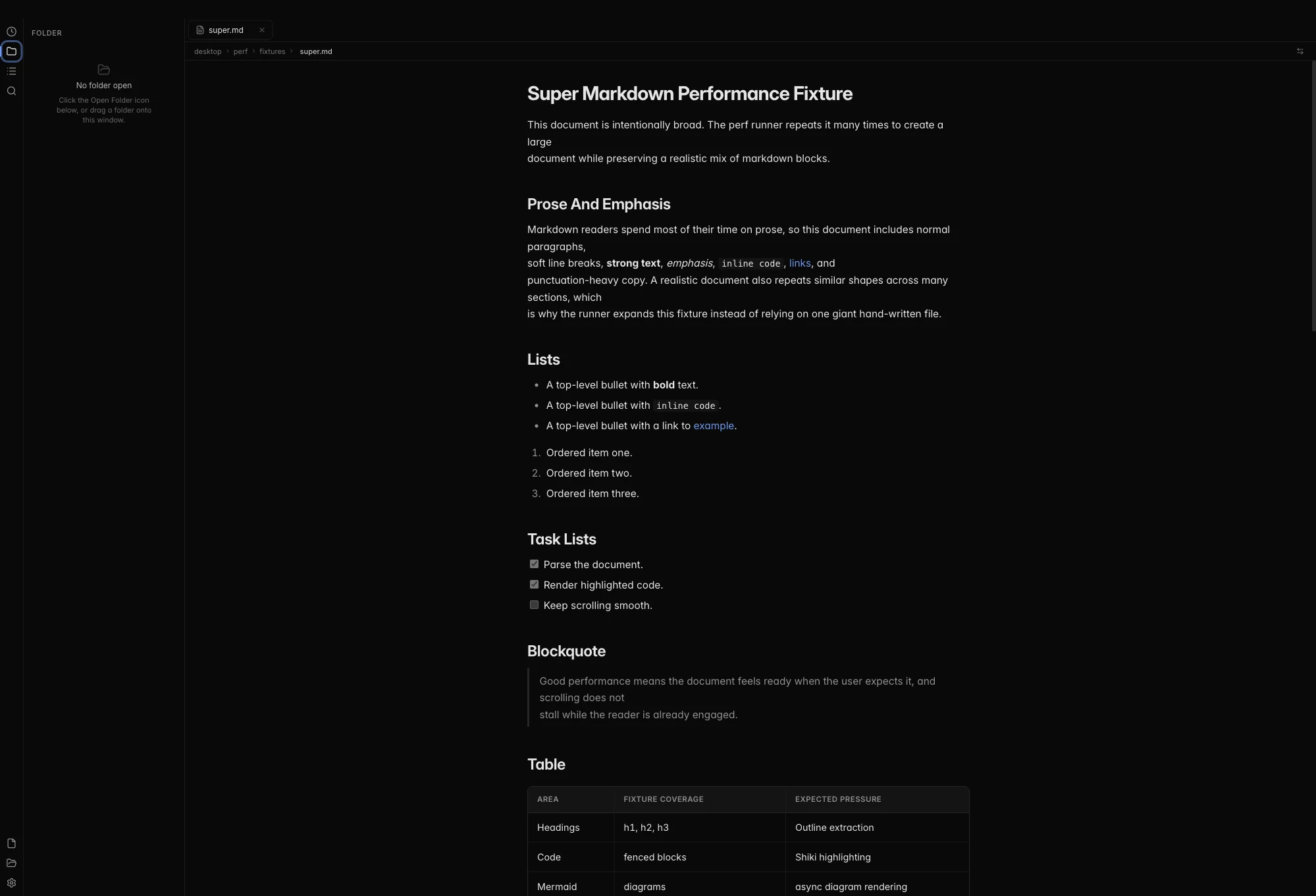
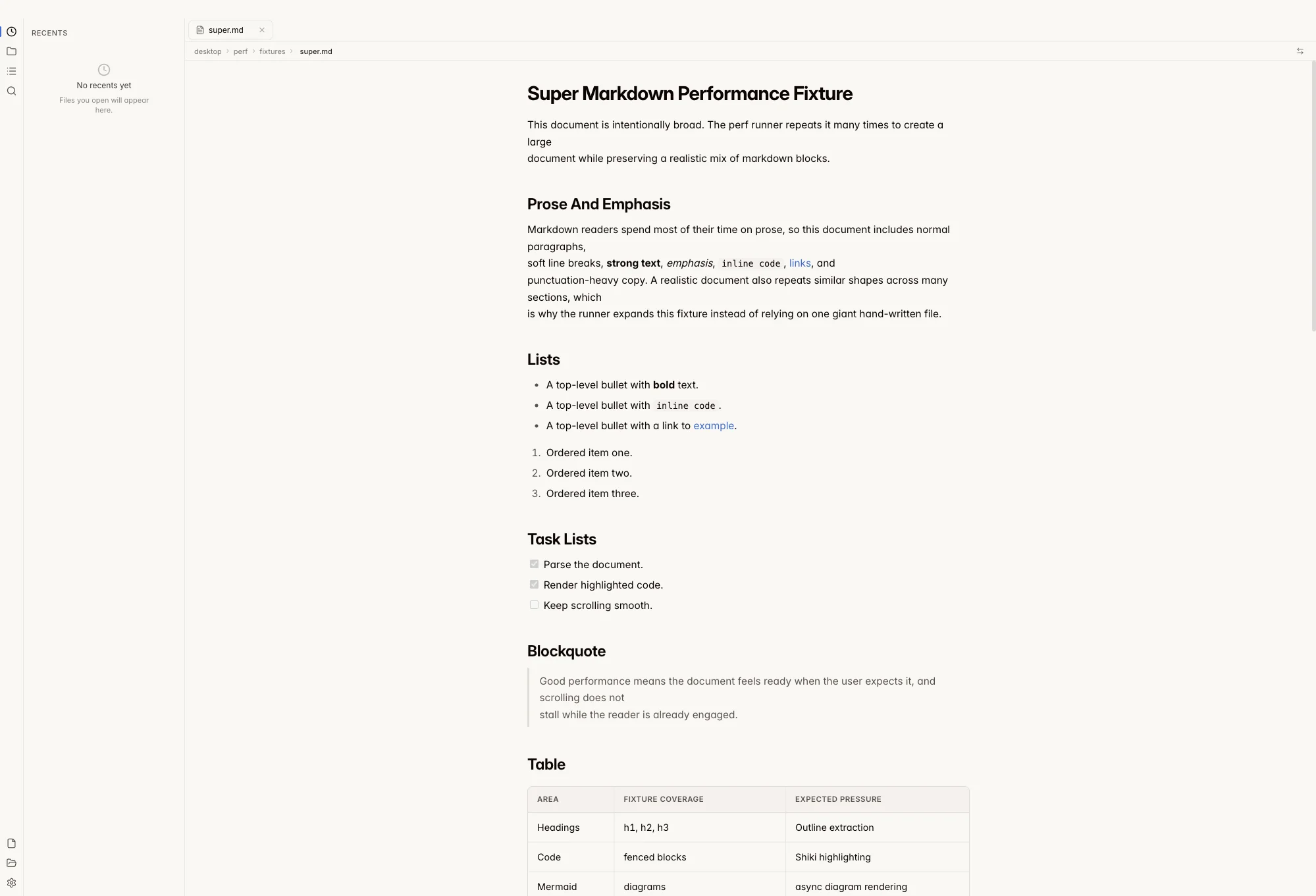
Mdow uses Shiki for accurate, editor-quality syntax highlighting across 30+ languages. Both light and dark themes are supported.
Mermaid diagrams
Mermaid diagram blocks are rendered inline — flowcharts, sequence diagrams, class diagrams, and more.
Light and dark themes
Mdow follows your system preference automatically, or you can set a preference manually. The warm light theme uses stone/sand tones, while the dark theme is pure neutral gray.
HTML documents
Open local .html and .htm files alongside Markdown. Mdow renders HTML previews in a sandboxed viewer and resolves local document links through the same safe file-opening flow.
File tree sidebar
Open a folder and browse its contents in a collapsible tree view. Click any Markdown or HTML file to view it instantly, filter the visible folder list, and switch between Recents, Outline, and Folder views from the sidebar.
Command palette
Press Cmd+K (or Ctrl+K on Windows/Linux) to open the command palette. Jump to files, open folders, toggle the sidebar, switch wide or split view, open settings, and more without leaving the keyboard. See the shortcuts page for the full list.
Find in document
Press Cmd+F to search within the current document. Matches are highlighted as you type, with keyboard navigation between results.
Live file watching
When you edit a file in your text editor, Mdow picks up changes automatically and refreshes the view.
Wide reading mode
Hide chrome and expand the reading column when you want fewer distractions. Toggle wide mode from the toolbar or command palette.
Drag and drop
Drop .md, .markdown, .mdx, .html, or .htm files anywhere in the window to open them instantly. You can also drop a folder to browse supported documents from the sidebar.